Getting Started with BPI-R4
Development
Basic Development
Prepare to develop
 * Prepare 8G/above TF card, USB-Serial cable, Ubuntu System
 * Using your USB-Serial cable Connect to debug console on BPI-R4
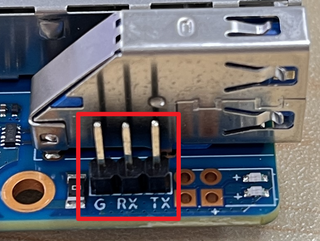

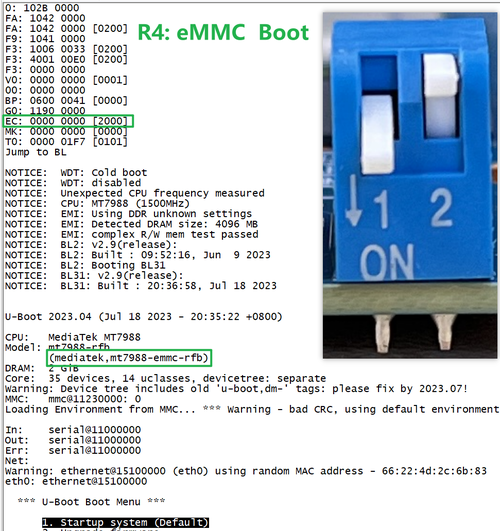
* BPI-R4 bootstrap and device select Jumper Setting
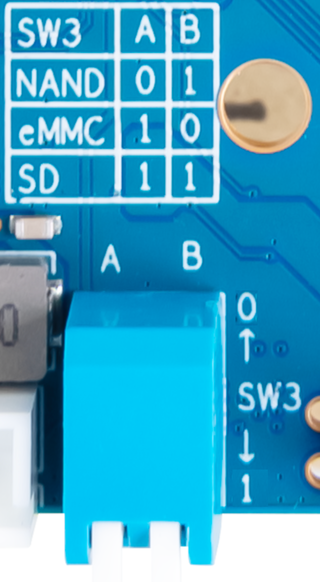

* Examples:
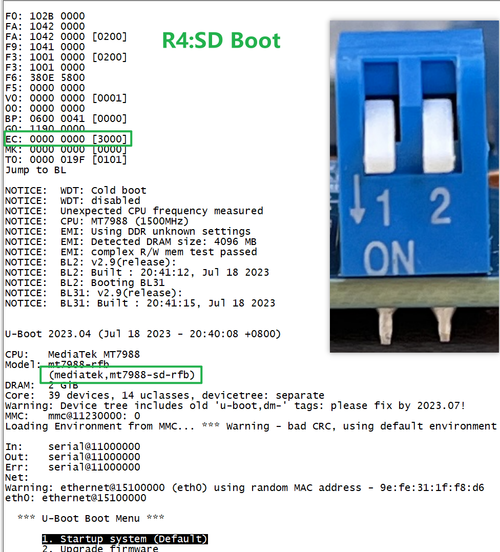
1. All Jumper is "1", BPI-R4 will boot from SD card

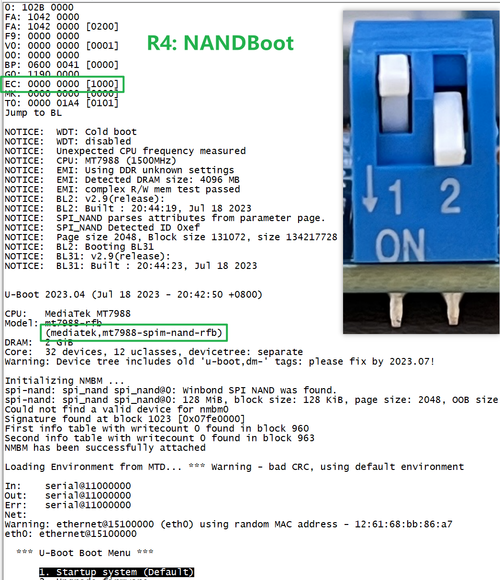
2. SW3-A is "0" and SW3-B is "1" , BPI-R4 will boot from SPI NAND

3. SW3-A is "1" and SW3-B is "0" , BPI-R4 will boot from eMMC

Accessories
1. 10G SFP Module
The SFP serdes of BPI-R4 requesting link mode inband/10gbase-kr, so only SFP that support this protocol can be used!
Usually the PIN6 of 10G SFP+ module is GND. After inserting the module, SFP_MOD_DEF0 will be pulled low, thereby turning on the SFP power supply.
Therefore, if this PIN of the module is not GND, 3.3V power will not be supplied!
10G SFP+ Copper Module
The temperature of this module is very high when used for a long time, It can reach 90℃ without a heat sink or cooling fan. Be careful to prevent burns!

.png)
Note:
Do not pull out this module once it is inserted, otherwise it will cause BPI-R4 to reboot.This phenomenon does not exist with other modules.
-Pull_out_reboot.png)
10G SFP+ Fibre Module

