Getting Started with BPI-R4: Difference between revisions
Jump to navigation
Jump to search
| Line 58: | Line 58: | ||
===5. Asia mPCIe WiFi6/WiFi6E=== | ===5. Asia mPCIe WiFi6/WiFi6E=== | ||
Revision as of 02:16, 8 October 2023
Introduction
MediaTek MT7986(Filogic 830)
Key Features
Development
Basic Development
Prepare to develop
 * Prepare 8G/above TF card, USB-Serial cable, Ubuntu System
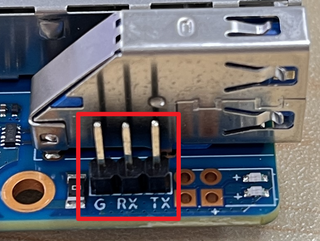
 * Using your USB-Serial cable Connect to debug console on BPI-R4

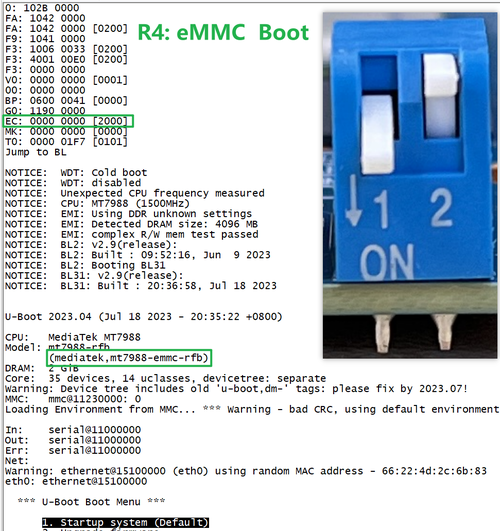
* BPI-R4 bootstrap and device select Jumper Setting
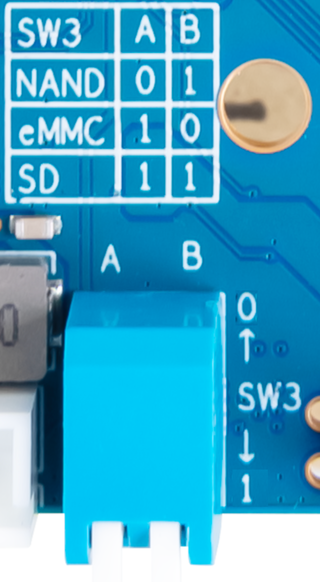

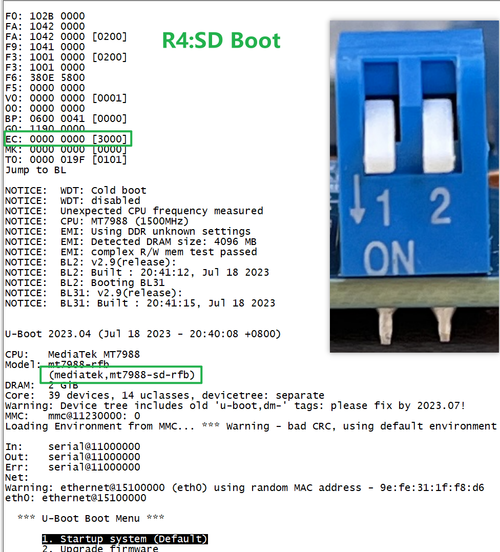
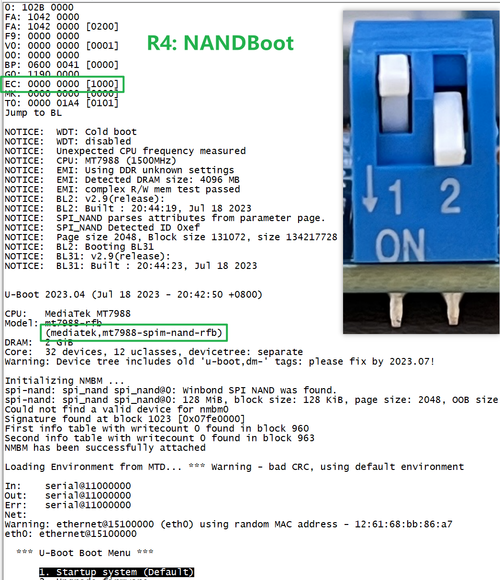
* Examples:
All Jumper is "1", BPI-R4 will boot from SD card

SW3-A is "0" and SW3-B is "1" , BPI-R4 will boot from SPI NAND

SW3-A is "1" and SW3-B is "0" , BPI-R4 will boot from eMMC

Accessories
1.10G SFP+ Copper

.png)
Note: Do not pull out the module once it is inserted, otherwise it will cause BPI-R4 to reboot.
-Pull_out_reboot.png)
2. 10G SFP+ Fibre

