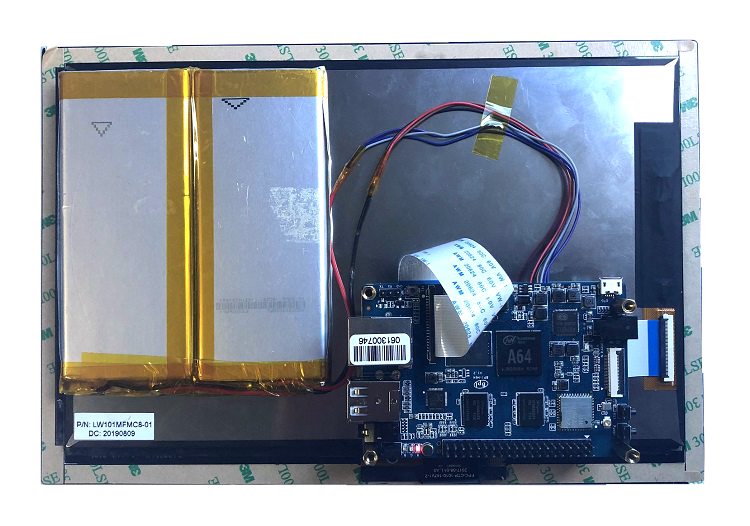
|
|
| (7 intermediate revisions by the same user not shown) |
| Line 10: |
Line 10: |
| =BPI 10.1 MIPI touch panel = | | =BPI 10.1 MIPI touch panel = |
|
| |
|
| this module have MIPI interface on baord , we have test it on Banana Pi BPI-R64 | | this module have MIPI interface on baord , we have test it on Banana Pi BPI-M64 |
|
| |
|
| [[File:BPI_10.1_HDMI_screen_1.JPG]] | | [[File:10.1_MIPI_touch_pannel_1.jpg]] |
|
| |
|
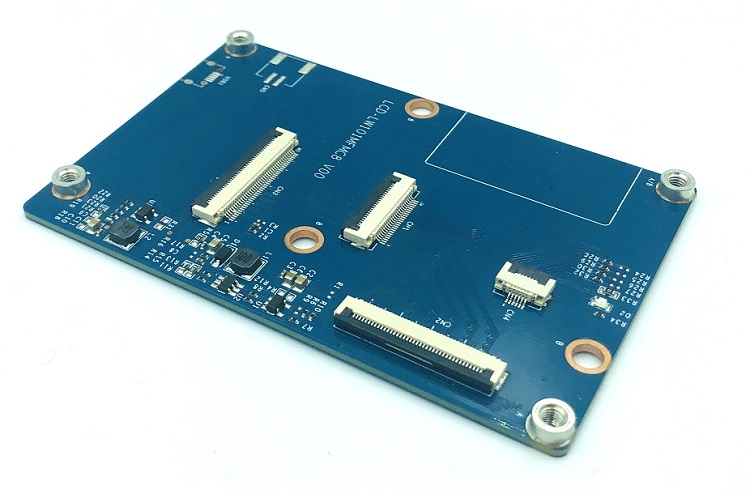
| =Hardware= | | ==MIPI extension board== |
|
| |
|
| ==Hardware spec==
| | [[File:10.1_MIPI_touch_pannel_4.jpg]] |
|
| |
|
| ==Hardware spec== | | =Touch pannel spec= |
| | * Touch pannel spec https://drive.google.com/file/d/1Ojijk2Tc2OHUzC5v7pDjiD5aei39Ii0o/view?usp=sharing |
|
| |
|
| LCD module for Banana Pi board via an conversion board to connect to the LCD connector designed specifically for interfacing to LCD.
| |
|
| |
|
| Banana pi LCD Connector :The LCD Connector is a stander Type-A HDMI connector which can connect to HDMI-TX.
| | =Use it with BPI-M64= |
|
| |
|
| it support two touch panel
| | [[File:10.1_MIPI_touch_pannel_6.jpg]] |
| | |
| ===1024*600 touch panel===
| |
| | |
| {| class="wikitable"
| |
| |-
| |
| | style="background: PaleTurquoise; color: black" colspan="4"| '''HardWare Specification of 10.1 HDMI panel'''
| |
| |-
| |
| |TFT LCD MODULE ||HC101TK20050
| |
| |-
| |
| |TP MODULE ||GT9271
| |
| |-
| |
| |Panel Size Size ||10.1 inches
| |
| |-
| |
| |Resolution ||1024 (RGB) x 600
| |
| |-
| |
| |Display Interface|| HDMI
| |
| |-
| |
| |TP Interface ||USB-HID
| |
| |-
| |
| |Color Depth ||16.7M
| |
| |-
| |
| |Viewing Direction|| 6 o’clock
| |
| |-
| |
| |Active Area(mm) ||222.72(H)x125.28(V)
| |
| |-
| |
| |OutlineDimension(mm)|| 235(W)×143(H)×5.0( D)
| |
| |-
| |
| |Display Format|| RGB vertical stripe
| |
| |-
| |
| |Display Mode ||Normally White
| |
| |-
| |
| |Operation Temperature ||-20~70℃
| |
| |-
| |
| |Weight (g) ||TBD
| |
| |-
| |
| |}
| |
| | |
| ===1280*800 touch panel===
| |
| | |
| {| class="wikitable"
| |
| |-
| |
| | style="background: PaleTurquoise; color: black" colspan="4"| '''HardWare Specification of 10.1 HDMI panel'''
| |
| |-
| |
| |TFT LCD MODULE ||HC101I35025NB
| |
| |-
| |
| |TP MODULE ||ILI2511
| |
| |-
| |
| |Panel Size Size ||10.1 inches
| |
| |-
| |
| |Resolution ||1280 (RGB) x 800
| |
| |-
| |
| |Display Interface|| HDMI
| |
| |-
| |
| |TP Interface ||USB-HID
| |
| |-
| |
| |Color Depth ||16.7M
| |
| |-
| |
| |Viewing Direction|| 6 o’clock
| |
| |-
| |
| |Active Area(mm) ||216.96(W) × 135.60(H)
| |
| |-
| |
| |OutlineDimension(mm)|| 229.46(W) ×149.1(H) ×2.50(D)
| |
| |-
| |
| |Display Format|| RGB vertical stripe
| |
| |-
| |
| |Display Mode ||Normally White
| |
| |-
| |
| |Operation Temperature ||-20~70℃
| |
| |-
| |
| |Weight (g) ||TBD
| |
| |-
| |
| |}
| |
| | |
| ==Hardware interface==
| |
| | |
| back:
| |
| | |
| [[File:BPI_10.1_HDMI_screen_2.JPG]] | |
| | |
| BPI 10.1 touch panel support HDMI interface
| |
| | |
| [[File:BPI_10.1_HDMI_screen_13.JPG]]
| |
| | |
| ==cable line==
| |
| | |
| [[File:HDMI.JPEG]]
| |
| | |
| =How to use=
| |
| | |
| we have finished all Banana pi boards driver , it support Android,Linux and windows.
| |
| | |
| [[File:BPI_10.1_HDMI_screen_4.JPG]]
| |
| | |
| banana pi BPI-10 1 HDMI touch screen demo with Linux:https://www.youtube.com/watch?v=R4OKR4vj1Ow&feature=youtu.be
| |
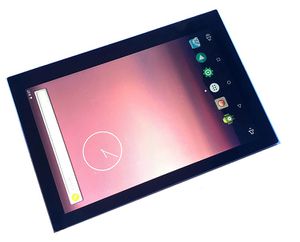 BPI 10.1 MIPI touch panel
 BPI 10.1 MIPI touch pane
 BPI 10.1 MIPI touch pane board
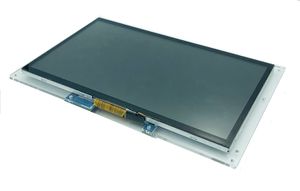 BPI 10.1 HDMI touch panel
 7.0 LCD touch panel
BPI 10.1 MIPI touch panel
this module have MIPI interface on baord , we have test it on Banana Pi BPI-M64
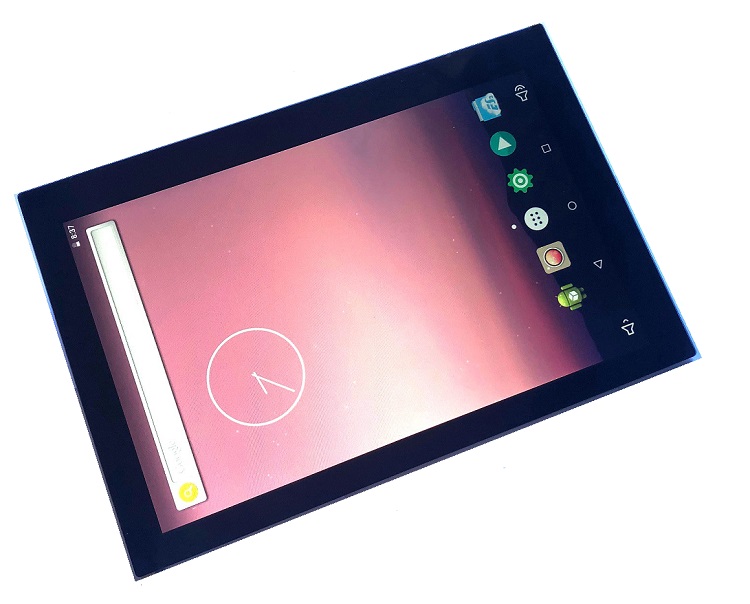
MIPI extension board
Touch pannel spec
Use it with BPI-M64